Orders
Review current and previous order information.
Find help for orders, delivery, payment options at delivery, loyalty points, account access, notifications, and technical issues.
The currently published support email is info@almadina-market.com.
Use the Customer App for account and order information, the official email for direct assistance, and the website for published guidance.
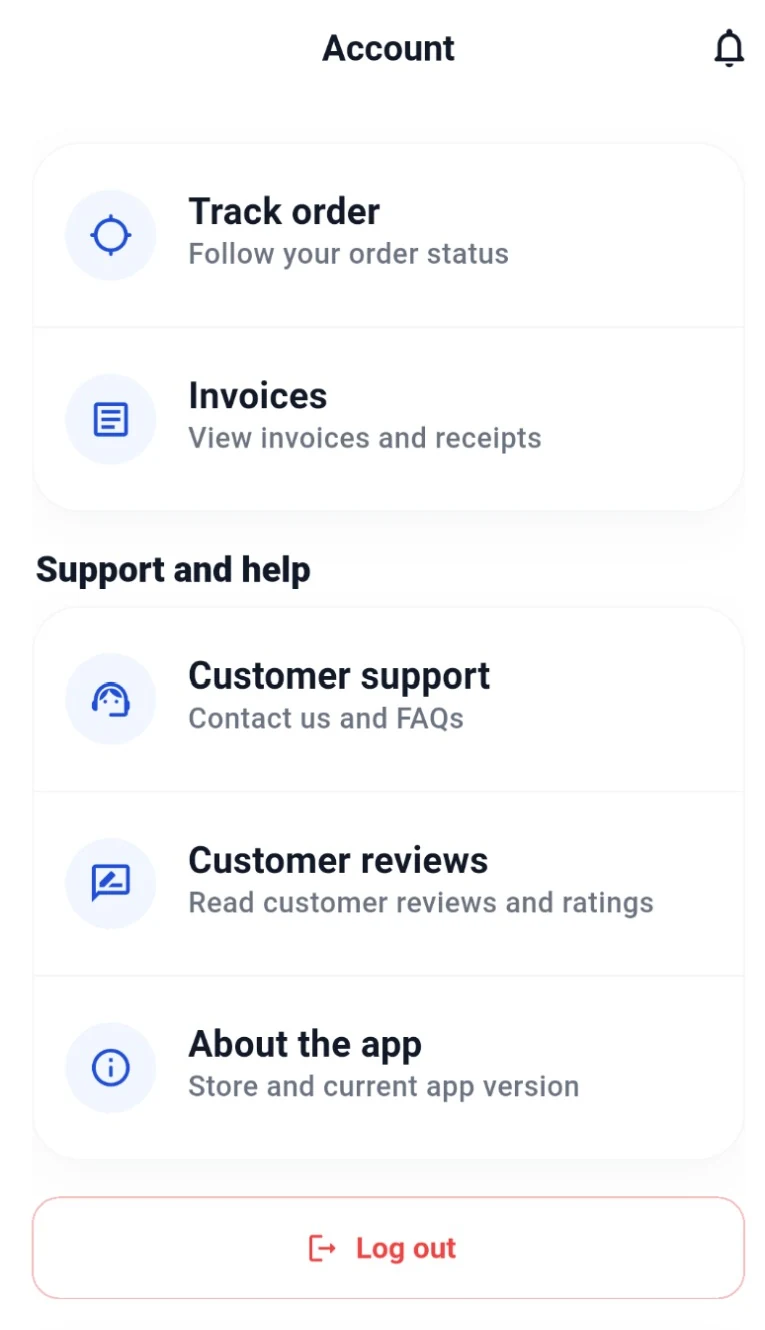
One approved English interface example from the Customer App.
These topics cover the confirmed Customer App and customer-service experience.
Review current and previous order information.
Check addresses, order updates, and published delivery guidance.
Understand confirmed and conditional payment-at-delivery options.
Review points currently visible in the Customer App.
Get help accessing the customer account.
Review profile and saved customer information.
Check app notification settings and order updates.
Try safe general steps when the app does not work as expected.
Use the dedicated Account Deletion page for published guidance.
Use the official email for other customer questions.
Delivery ordering is handled through the Customer App, where customers can review order details, addresses, status, and notifications.
No delivery-time promise or live driver-tracking claim is made on this website.
Cash on delivery is confirmed. Other options shown in the app may include card, InstaPay, and supported electronic-wallet methods at delivery.
Availability may depend on the order, so no payment method is presented as universally guaranteed.
This website does not claim online prepayment and does not name banks, card networks, wallet companies, or providers.
Loyalty points are visible through the Customer App.
The Customer App supports account access, profile details, saved delivery addresses, previous orders, and notifications.
These checks avoid device-specific promises and can help with common app issues.
Check that the device has a working connection.
Restart the Customer App and try the action again.
After public store versions become available, confirm the installed app is current.
Restart the device before trying again.
If notifications are missing, review the app notification permission on the device.
Use the official email if the issue continues.
Clear, relevant information can help explain the issue while keeping the account protected.
Use the currently published public email for direct customer assistance.
Additional verified contact channels and support hours will be published after official approval.
These answers use only confirmed customer, app, delivery, payment, and account information.
Email info@almadina-market.com, the currently published official support channel.
Review current and previous orders, order status, and notifications in the Customer App.
Cash on delivery is confirmed. Card, InstaPay, and supported electronic-wallet methods at delivery may also appear depending on the order. No online prepayment is claimed.
Current loyalty points are visible in the Customer App. Detailed earning, redemption, expiry, and promotional rules are not yet published.
Check the device internet connection, reopen the app, and review notification permission. Contact support if the issue continues.
Use the Customer App to review and manage saved delivery addresses.
Use the localized Account Deletion page for the published process. No instant-deletion promise is made here.
Never share passwords, verification codes, full card details, or sensitive wallet credentials through public support channels.
Public Android and iOS releases are being prepared. Verified store links are not available yet.
Additional verified channels and support hours will be published on the official website after approval.
Email Customer Support for direct assistance or review the published FAQs for common questions.